Consultations are free within 60 driving miles of Auburn. Farther projects are considered individually; any consultation or travel fee is quoted before booking and credited toward your order if you proceed.
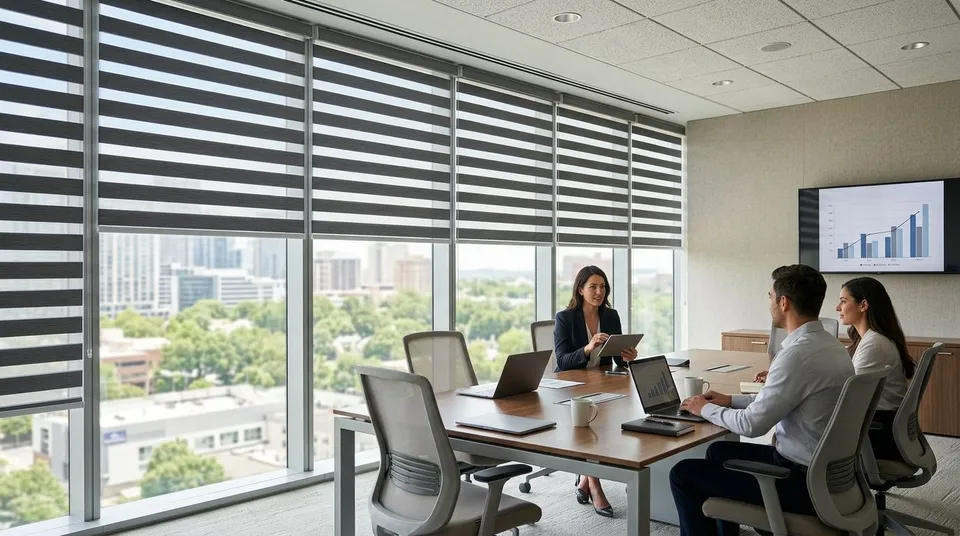
Conference rooms and shared workspaces need window coverings that cut screen glare without turning every meeting into a cave session. Zebra shades solve both problems with one product line, alternating sheer and solid fabric bands that adjust from full view to full privacy, and picking the right opacity and operation tier decides whether a room actually gets booked for video calls in 2026.
- Compatible grouped controls can make zebra shades convenient for a multi-window conference room. Confirm the motor, controller, grouping limits, and network requirements before ordering.
- Light-filtering zebra shades are the best zebra shades for conference rooms fighting screen glare without going dark.
- Dual-layered blackout zebra shades handle presentation rooms that need full projector-ready darkness.
- Manual zebra shades stay the simplest pick for small huddle rooms with one or two windows.
- Battery-powered motorized zebra shades fit retrofit offices where running wire through finished walls is not realistic.
Why this matters
A conference room with the wrong window treatment either blinds the people facing the window or blacks out the whole room by 2 PM. Shared workspaces compound the problem because five or six people book the same room for five or six different reasons, from client video calls to slide presentations.
Zebra shades fix this because the alternating stripe pattern lets you dial opacity in small steps instead of choosing between fully open and fully closed. That flexibility matters more in a shared room than a private office, since nobody in the room owns the shades by default. For a broader look at how this fits professional spaces, law offices and conference rooms run on the same window treatment logic.
What makes the best zebra shades for conference rooms
- Opacity range — how finely the shade steps between sheer, light-filtering, and blackout
- Operation tier — manual, motorized, or smart hub control matched to how often the room turns over
- Fabric weight and lining — whether the shade can reach true blackout for projector use
- Stack consistency — multiple windows in one room need to land at the same height when raised
- Wiring reality — whether the building allows in-wall wiring or needs a battery-powered retrofit
- Glare behavior at desk height — how the shade performs against a laptop camera, not just against the sun
Zebra shades for conference rooms at a glance
| Zebra shade type | Best for | Standout feature | Key limitation |
|---|---|---|---|
| Motorized with smart hub | Shared conference rooms, multi-window banks | Grouped control with compatible equipment | Needs a hub plus wiring or strong Wi-Fi coverage |
| Light-filtering | Video call glare control | Cuts direct glare while keeping the room usable without lights | Not dark enough for projector presentations |
| Dual-layered blackout | Presentation rooms | Blackout layer sits behind the sheer layer for two-in-one control | Deeper headrail than a single-layer zebra shade |
| Manual | Small huddle rooms | Simplest mechanism, nothing to charge or program | Slower to adjust when a room turns over every 30 minutes |
| Battery-powered motorized | Retrofit and leased offices | Motorized control with no in-wall wiring required | Batteries need periodic recharging or swapping |
1. Motorized zebra shades with smart hub control: best zebra shades for shared conference rooms
Motorized zebra shades tied to a smart hub let one person raise or lower every window in the room from a wall panel or an app before a meeting starts. In a room booked back to back all day, that single control point removes the few minutes people spend fighting with individual shades at the start of every call. The setup works the same way in a commercial conference room as it does in a house, and pairing motorized shades with a smart home hub follows the same programming steps.
Motorized smart hub zebra shade pros:
- One control point manages every window in a multi-window room
- Presets drop shades to the same position for every meeting
- No cords hanging at desk height, which matters in rooms with client traffic
Motorized smart hub zebra shade cons:
- Confirm the selected power, controller, and network requirements
- Setup takes longer than a manual install because presets need programming
Best for: conference rooms with three or more windows that turn over multiple times a day.
Verdict: Buy if the room is booked heavily and the building already has, or can add, power for the hub.
2. Light-filtering zebra shades: best zebra shades for video call glare control
Light-filtering zebra shades cut the direct glare that washes out a laptop camera without dropping the room into darkness. That distinction matters in shared workspaces where half the meeting is a video call and half is a document review that needs real light on the table. Glare is the single most common reason offices replace their window coverings, and reducing video call glare with motorized shades covers the same problem from the room-setup side.
Light-filtering zebra shade pros:
- Keeps the room usable for reading and note-taking without overhead lights
- Softens glare on monitors and laptop cameras without full blackout
- Handles south and west facing conference rooms where afternoon sun is the complaint
Light-filtering zebra shade cons:
- Not dark enough for a room that doubles as a presentation space
- Still passes some light through the sheer bands at the darkest setting
Best for: rooms where the main complaint is screen glare, not a need for total darkness.
Verdict: Buy for any glass-heavy conference room used mostly for video calls in 2026.
3. Dual-layered blackout zebra shades: best zebra shades for presentation rooms
A dual-layered zebra shade puts a blackout fabric behind the standard sheer and solid bands, giving the room a true dark setting on top of the normal light-filtering range. That combination matters where the same space runs a morning slide deck and an afternoon working session. The layered approach is identical to dual-layered zebra shades for living rooms, and it translates directly to a windowed conference room running a projector.
Dual-layered blackout zebra shade pros:
- Reaches true blackout for projector and large-screen presentations
- Keeps the standard light-filtering range for everyday meetings
- One shade covers two very different room needs
Dual-layered blackout zebra shade cons:
- Thicker fabric stack means a deeper headrail and more mounting depth
- More hardware and fabric than a single-layer zebra shade
Best for: conference rooms that alternate between presentations and normal daytime meetings.
Verdict: Buy for any room where a projector or large screen is part of the weekly routine.
4. Manual zebra shades: best zebra shades for small huddle rooms
Manual zebra shades use a simple wand or cord to shift the stripe pattern, with nothing to charge, program, or connect to Wi-Fi. In a one or two window huddle room, the speed advantage of motorization barely registers because a single person adjusts the shade in a few seconds. Most shared workspaces start here and add motorization to their busiest rooms later, the same progression seen with zebra shades for home offices.
Manual zebra shade pros:
- Nothing to charge, program, or troubleshoot
- Simplest of the three operation tiers to install and hand over to a building manager
- No dependence on Wi-Fi or a hub that someone else administers
Manual zebra shade cons:
- Slower to adjust in a room with more than two windows
- No preset positions, so every user resets the shade by hand
Best for: one or two window huddle rooms and small shared offices.
Verdict: Buy for small rooms; Hold for larger conference rooms where motorization earns its keep.
5. Battery-powered motorized zebra shades: best zebra shades for retrofit offices
Battery-powered motorized zebra shades give you app or remote control without running new wire through finished walls or ceilings, which matters in a leased office where the buildout is already done. The tradeoff is a recharge schedule instead of a permanent power connection. Commercial retrofits use this tier for the same reason residential remodels do, as covered in battery-powered motorized shades for retrofit homes.
Battery-powered motorized zebra shade pros:
- No in-wall wiring needed, which clears the way in leased and older buildings
- Same app and remote control as a wired motorized shade
- Easier to relocate if the office reconfigures its rooms
Battery-powered motorized zebra shade cons:
- Batteries need periodic recharging, adding a maintenance line item
- Heavy daily use shortens the interval between recharge cycles
Best for: leased offices and retrofit buildings that cannot run new wiring.
Verdict: Buy for retrofit projects; Wait if the building allows wiring, since a wired motor needs less upkeep.
How we ranked these zebra shades
Each option was weighed against the six criteria above: opacity range, operation tier, blackout capability, stack consistency across multiple windows, wiring reality, and glare performance at desk height. No single zebra shade wins every category, which is why this list splits by use case instead of naming one universal winner for every room in 2026.
“If glare still hits the laptop camera at 2 PM, the opacity level is wrong for that room, not the whole product line.”
Which zebra shades should you choose for your conference room?
For a shared conference room with three or more windows and daily turnover, motorized zebra shades with smart hub control are the default pick in 2026. For a room that mostly fights afternoon screen glare, light-filtering zebra shades solve the actual problem without overbuilding the space. Rooms running a projector need the dual-layered blackout option, small huddle rooms do fine on manual, and leased buildings without wiring access should look at battery-powered motorized shades.
Get zebra shades measured for your space
Book an on-site consultation to compare samples and get a measured quote.
FAQ
What are the best zebra shades for conference rooms?
Motorized zebra shades with smart hub control are the best zebra shades for conference rooms with multiple windows and heavy daily use. Smaller huddle rooms do fine with manual zebra shades, and presentation rooms need a dual-layered blackout option.
Are motorized zebra shades better than manual for shared workspaces?
Motorized zebra shades are better for rooms with three or more windows or frequent turnover because one control point adjusts every window at once. Manual zebra shades work fine in one or two window huddle rooms where speed is not an issue.
Do zebra shades block video call glare?
Light-filtering zebra shades cut direct glare on laptop cameras and monitors without dropping the room into darkness. That makes them the standard pick for conference rooms used mainly for video calls rather than presentations.
Can zebra shades achieve full blackout for presentations?
A single-layer zebra shade will not reach true blackout on its own. A dual-layered zebra shade, which places a blackout fabric behind the sheer and solid bands, gets a conference room dark enough for projector use.
How many zebra shades can one smart hub control?
Smart-home support depends on the exact motor, controller, protocol, and hub. We confirm support for your preferred platform and the available features before ordering.
What is the difference between light-filtering and blackout zebra shades?
Light-filtering zebra shades soften glare and brightness while keeping the room usable without overhead lights. Blackout zebra shades, usually built as a dual-layered product, take the room to full darkness for screens and projectors.
Are battery-powered motorized shades reliable for offices?
Battery-powered motorized zebra shades work well in leased or retrofit buildings that cannot run new wiring, though they need periodic recharging. Wired motorized shades require less ongoing maintenance where wiring is an option.
Do zebra shades work in large open-plan offices?
Zebra shades handle large open-plan windows well because opacity adjusts in small steps instead of an all-or-nothing choice. Stack consistency across multiple windows matters more in open-plan layouts than in a single closed conference room.
One last thing
The detail most conference room buyers miss in 2026 is not opacity or motorization, it is stack height consistency across a bank of windows. If four zebra shades in the same room raise to slightly different heights, the room reads as unfinished even with the right fabric and the right operation tier, and that consistency comes down to accurate measuring, not the shade itself.