
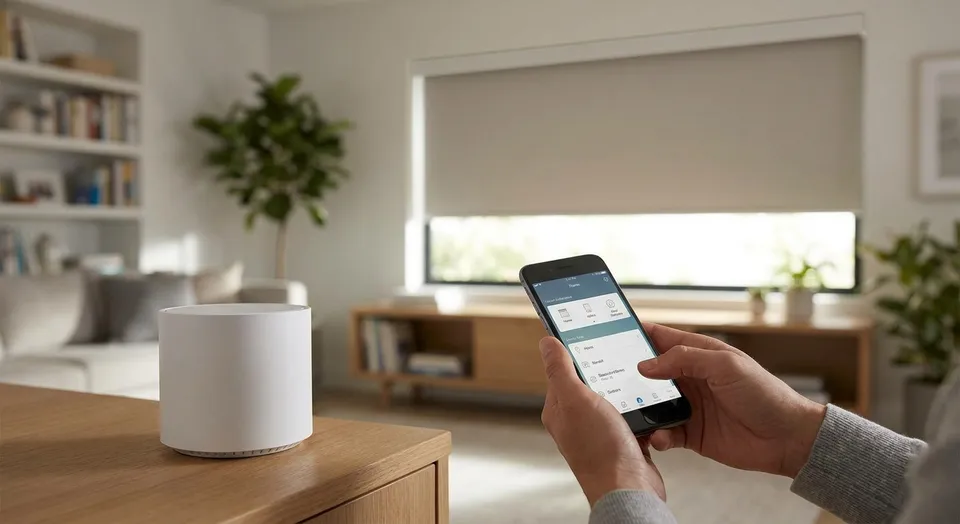
Pairing motorized shades with a smart home hub takes 10 to 15 minutes per shade once the shades are mounted and powered. The process is nearly identical across Lutron, SmartThings, Apple Home, and Alexa hubs in 2026, with the main variable being which wireless protocol your shades use.
- Pairing motorized shades with a smart home hub in 2026 takes 10-15 minutes per shade once power is confirmed.
- Lutron Caseta hubs pair fastest — a 6-shade room finishes in under 20 minutes total.
- Z-Wave and Zigbee hubs need a signal repeater past 30 feet from the hub; Wi-Fi shades skip the hub entirely.
- Rainier Blinds sets voice-command groups during install so shades respond to Alexa or Google Home on day one.
Why this matters
Most pairing failures in 2026 trace back to one thing: buying the hub before confirming the shade's wireless protocol. Zigbee, Z-Wave, Bluetooth, and Wi-Fi shades each talk to hubs differently, and mixing a Zigbee shade with a Z-Wave-only hub means the shade never shows up in the app no matter how many times you reset it.
Homeowners looking at motorized shades in Kent, WA run into this most often when they buy a hub for a different smart device first — a doorbell or a thermostat — and assume it will handle shades too. It usually won't without an add-on bridge.
Getting the protocol right before pairing saves a return trip and an hour of troubleshooting. That's the whole guide in one sentence: match the protocol, update firmware, then pair.
What you'll need
- Motorized shades already mounted and powered — hardwired, battery pack, or rechargeable
- A smart home hub: Lutron Caseta Smart Bridge, SmartThings Hub, Apple Home hub (HomePod mini or Apple TV), or an Echo device with built-in hub
- The hub's companion app installed on your phone and updated to current 2026 firmware
- Your Wi-Fi network name and password — most shade bridges need the 2.4GHz band, not 5GHz
- 10 to 15 minutes per shade, more if you're pairing an entire room at once
The steps
1. Confirm your shade's wireless protocol before touching the hub
Check the shade's spec sheet or the manual that came with it — look for Zigbee, Z-Wave, Bluetooth, or Wi-Fi listed explicitly. This single check prevents the most common pairing failure in 2026: a shade and hub that simply can't talk to each other.
Common mistake: assuming all motorized shades use the same protocol as a smart bulb already in the house. They don't, and Zigbee bulbs won't help a Z-Wave shade pair.
2. Update hub firmware and confirm your Wi-Fi band
Open the hub's app, check for a firmware update, and install it before adding any device. Confirm your router broadcasts a 2.4GHz network — many newer routers hide it behind a combined SSID, which blocks shade bridges that can't see 5GHz.
Common mistake: skipping the firmware update because the hub already works fine for other devices. Outdated firmware is the top cause of shades that pair once and then drop off after a week.
3. Put the shade into pairing mode
Every shade brand has a slightly different trigger — usually a button on the shade's control unit or a long-press on the included remote. Hold it until the shade's motor gives a short jog or beep, signaling it's broadcasting and ready to pair.
Common mistake: holding the pairing button too briefly. Most shades need 3 to 5 seconds of continuous pressure before the pairing signal actually starts.
4. Add the shade in the hub app
Open the hub app, select add device, and choose the shade category if the app offers one — this narrows the scan and speeds up detection. The app should find the shade within 30 to 60 seconds once it's in pairing mode.
Common mistake: standing too far from the hub during this step. Keep the shade and your phone within 15 feet of the hub for the initial handshake, even if the final install location is farther.
5. Name each shade by room and function
Rename the shade something specific — Living Room South beats Shade 3 every time you're troubleshooting later or setting up a voice command. This step takes two minutes and saves confusion the first time you add a fifth or sixth shade to the same hub.
Common mistake: leaving default names in place. It works fine with one shade and becomes unmanageable with six.
6. Group shades into scenes
Most hub apps let you bundle multiple shades into a single scene — Morning opens the living room and kitchen shades together, Movie Night closes everything at once. Build these scenes now, while you're already in the app, rather than retrofitting them later.
Common mistake: building scenes before naming shades individually, which makes the scene builder a guessing game of Shade 2 versus Shade 4.
7. Assign voice commands
Link the hub to Alexa, Google Home, or Siri through the app's integration settings, then test a basic command like open the living room shade. This is also where scene names become voice commands, so turn on Movie Night should trigger the whole group.
Common mistake: using scene or shade names with special characters or numbers, which voice assistants frequently mishear or fail to parse.
8. Test the shade at the edges of your network
Walk to the farthest room with a paired shade and issue a command from your phone or voice assistant. Zigbee and Z-Wave signals typically hold for about 30 feet from the hub before needing a repeater or a mesh extender.
Common mistake: testing only from the room where the hub sits. A shade that responds instantly at 10 feet can lag or fail entirely at 35 feet without a repeater in between.
Get shades installed and pre-paired
Rainier Blinds sets up hub pairing and voice groups during the install visit.
Troubleshooting
- Shade doesn't show up during the pairing scan — confirm it's still in pairing mode (most time out after 60 to 90 seconds) and move the hub and phone closer together for the first pairing attempt.
- Shade drops offline randomly after a week — check for a firmware update on both the hub and the shade's motor unit; outdated firmware causes intermittent drops more often than weak signal.
- Voice assistant hears the command but the shade doesn't move — the voice integration linked but the scene name may be mismatched; open the hub app and confirm the exact scene name matches what you said.
- Group commands fire out of sync — one shade in the group is on an older firmware version or a weaker signal path; update it individually and re-add it to the scene.
- App shows the shade as paired but the manual remote stopped working — some hubs take over full control and disable the local remote by default; check the hub's device settings for a manual override or local control toggle.
- Shade responds to the app but not to Alexa or Google Home — the hub-to-assistant skill or integration may need re-linking after a firmware update; unlink and relink it from the assistant's app.
Tools and resources
Before buying anything, compare how each shade type performs with smart hubs — the guide on roller shades vs cellular shades in South King County covers which fabric and mount styles pair most reliably with 2026 hub hardware. For homes already running a Lutron or SmartThings ecosystem, check compatibility against your existing devices before ordering shades, since mixing protocols mid-project adds a bridge purchase you didn't budget for.
What to do next
Once pairing is confirmed and scenes are built, the next step is dialing in schedules — sunrise and sunset triggers, vacation mode, and per-room automation rules. That's a separate setup pass in most hub apps, usually 10 more minutes once the shades themselves are already talking to the hub.
FAQ
How do you pair motorized shades with a smart home hub?
Confirm the shade's wireless protocol, update the hub's firmware, put the shade into pairing mode, then add it through the hub's app — the full process takes 10 to 15 minutes per shade in 2026.
Do motorized shades need a hub to work with Alexa?
Zigbee and Z-Wave shades need a hub to reach Alexa, while Wi-Fi and some Bluetooth shades connect directly without one. Check the shade's spec sheet for its protocol before assuming a hub is required.
What's the best smart home hub for motorized shades in 2026?
Lutron Caseta pairs the fastest for most homeowners, often finishing a full room in under 20 minutes. SmartThings and Apple Home work well too, but the shade's protocol has to match the hub either way.
Why won't my motorized shade show up when pairing?
The shade likely timed out of pairing mode, which usually lasts 60 to 90 seconds, or the hub and phone are too far apart during the scan. Restart pairing mode and stay within 15 feet of the hub.
Can you control motorized shades without Wi-Fi?
Yes — most motorized shades include a physical remote that works over radio frequency independent of any hub or Wi-Fi network. Losing internet doesn't disable the shade's basic open and close function.
How far can a hub be from the shade before signal drops?
Zigbee and Z-Wave hubs typically hold a reliable signal to about 30 feet before needing a repeater. Wi-Fi shade bridges depend on router placement and can vary more by home layout.
Do smart shades work during a power outage?
Battery and rechargeable shades keep working during an outage since they don't rely on hardwired power, but the hub itself may lose connectivity if it needs Wi-Fi or mains power to function.
Is it better to buy shades and a hub together?
Buying them together avoids protocol mismatches, which is the top reason pairing fails. Confirming compatibility before purchase saves the cost and hassle of adding a bridge device later.
One last thing
The detail most homeowners miss in 2026: naming shades and building scenes before linking voice control cuts troubleshooting time roughly in half, since a mismatched scene name is the single most common reason a voice command doesn't trigger the right shade. Get the naming right first, and the voice layer almost always works on the first try.