Consultations are free within 60 driving miles of Auburn. Farther projects are considered individually; any consultation or travel fee is quoted before booking and credited toward your order if you proceed.
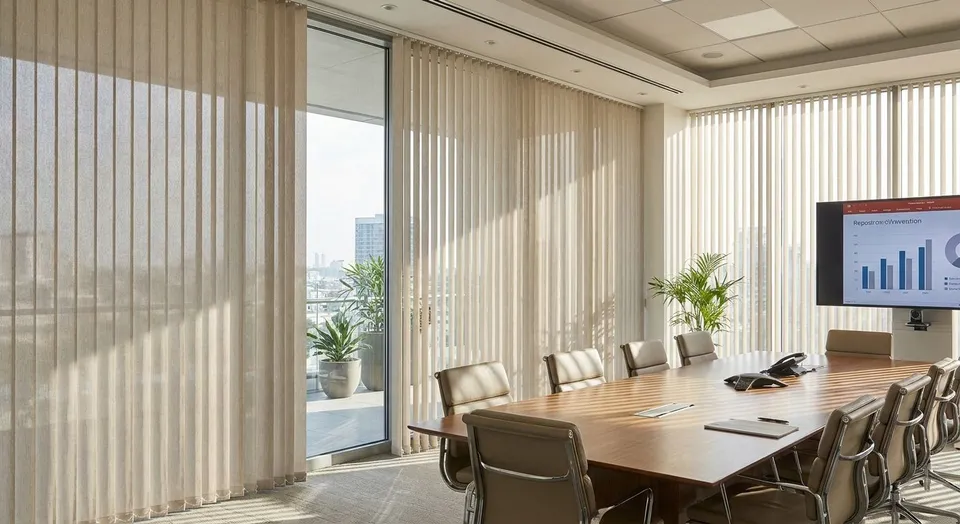
If you searched "best vertical blinds for conference rooms," here's the direct answer: Rainier Blinds doesn't sell or install vertical blinds, and most commercial designers moved away from them years ago because the vanes snag, sag, and rattle in HVAC drafts. What actually works in a large conference room in 2026 is a motorized roller shade, a cellular shade, or a zebra shade, depending on what the room needs most. This guide ranks the four shade types Rainier Blinds installs across the Greater Seattle Area for conference-room-sized windows and glass walls.
- Motorized roller shades win for large conference rooms with glass walls and frequent video calls in 2026.
- Vertical blinds are not part of the Rainier Blinds lineup; the vane hardware fails faster in high-traffic commercial spaces.
- Cellular shades cut the most noise and hold heat better than any slat-style covering.
- Zebra shades give a middle ground between full blackout and full light for shared meeting spaces.
- Manual roller shades are the budget pick when a room doesn't need group-controlled motorization.
Why this matters
A conference room window does three jobs a bedroom window never has to do: it has to kill screen glare for eight people at once, it has to close fast between back-to-back meetings, and it has to survive being opened and closed by whoever walks in first. Vertical blinds were built for 1990s office glass because they were cheap and covered wide spans, but the vane clips crack under daily use and the chain mechanisms jam within a couple of years in commercial settings.
Rainier Blinds measures and installs motorized shades to reduce video call glare in offices across Auburn, Bellevue, and Tacoma, and the pattern is consistent: rooms with wide, uninterrupted shades outperform vaned systems on both light control and long-term durability. The rest of this guide breaks down which shade type fits which conference room.
What makes the best shade for a conference room
- Glare control at screen height without blacking out the whole room for a presentation
- Group-friendly operation — one person shouldn't need a ladder or three tries to close it
- Noise dampening for rooms next to open floor plans or hallways
- Fast, even coverage across wide glass walls or multiple windows on one control
- Commercial-grade durability for daily open-close cycles by different employees
- Smart or motorized control so the shade responds to a wall switch or app instead of a wand
At a glance
| Shade type | Best for | Standout feature | Key limitation |
|---|---|---|---|
| Motorized roller shades | Video-call glare and wide glass walls | One-touch group control, even coverage | Needs power access or battery charging schedule |
| Cellular shades | Light and temperature control | Honeycomb pockets trap insulating air | Less effective on very wide single spans |
| Zebra shades | Adjustable privacy without full blackout | Alternating sheer and solid bands | Sheer stripes let in some glare even closed |
| Manual roller shades | Budget-conscious offices | Simple, low-maintenance operation | One person has to walk the room to adjust it |
1. Motorized roller shades: best for video-call glare and wide glass walls
Motorized roller shades run on a wide, single fabric span with no vanes to jam, which matters in a room where glass walls stretch 12 feet or more. A wall switch or smart app closes the whole shade in one motion, so nobody's hunting for a wand chain before a client call.
Motorized roller shades pros:
- One control closes the entire glass wall evenly
- No dangling cords or chains for a room with heavy foot traffic
- Pairs with a smart home hub for scheduled opening and closing
- Fabric options range from light-filtering to blackout
Motorized roller shades cons:
- Needs a power source or a charging routine for the battery-driven motor
- Higher upfront commitment than a manual shade
- Motor components require occasional service over the shade's life
Motorized roller shades verdict: Buy for any conference room with wide glass, frequent video calls, or shared control among multiple employees. This is the pick most large offices in Bellevue and Seattle move to once vertical blinds fail.
2. Cellular shades: best for noise reduction and insulation
Do not rely on ordinary shades to soundproof a room or reduce traffic noise by a specified amount. Acoustic performance needs test data for the selected product and installation; discuss dedicated acoustic treatment if noise control is a priority.
Cellular shades pros:
- Cellular pockets trap insulating air; acoustic performance requires product test data
- Cordless and motorized lift options available for group use
- Holds up well in rooms with big temperature swings
Cellular shades cons:
- Doesn't span extremely wide single windows as cleanly as roller fabric
- Light-filtering versions still let in some glare at low sun angles
- Blackout cellular versions cost more to fully darken a room
Cellular shades verdict: Buy for conference rooms that double as call centers or sit next to open work areas. Read the full comparison in roller shades vs cellular shades if noise is the deciding factor for your room.
3. Zebra shades: best for adjustable privacy without full blackout
Zebra shades alternate sheer and solid fabric bands on one roll, so sliding the shade up or down shifts the room between soft daylight and near-total privacy. That flexibility fits a conference room used for both casual check-ins and formal presentations on the same day.
Zebra shades pros:
- One shade covers both privacy and daylight needs
- Available in dual-layer designs with motorized lift
- Modern, low-profile look on glass walls
Zebra shades cons:
- Sheer bands still pass some glare even in the closed position
- Not a true blackout option for rooms doing video projection
- Alignment between bands needs periodic adjustment on heavily used shades
Zebra shades verdict: Hold unless your conference room genuinely swings between open and closed use throughout the day. For rooms that mostly need one setting, motorized roller shades or cellular shades do the job with less upkeep.
4. Manual roller shades: best budget option for large windows
Manual roller shades give a conference room the same clean, wide-span coverage as the motorized version without the wiring or battery maintenance. They're the practical choice for a room that gets adjusted once or twice a day rather than between every meeting.
Manual roller shades pros:
- Lower complexity than motorized systems, nothing to charge or sync
- Same fabric and opacity choices as motorized roller shades
- Straightforward to operate for anyone in the room
Manual roller shades cons:
- Someone has to physically walk over and adjust it each time
- No scheduling or app control
- Less practical for very wide glass walls that need multiple manual pulls
Manual roller shades verdict: Buy if the conference room has a fixed light problem and doesn't need shade changes throughout the day. Skip it for high-turnover meeting rooms where motorized control saves real time.
How we ranked these
Each shade type was measured against the criteria above: glare control at eye level, how many hands it takes to operate, noise and heat performance, and how the hardware holds up under daily commercial use. Vertical blinds don't appear in the ranking because Rainier Blinds doesn't measure, sell, or install them, and the vane-and-chain mechanism is the most common commercial callback across the industry.
Get a conference room quote
Book an on-site consultation to compare samples and get a measured quote.
Which shade should you choose?
For most conference rooms upgrading away from vertical blinds in 2026, motorized roller shades are the default pick: one control, even coverage across wide glass, and no vane hardware to fail. Choose cellular shades if the room's real problem is noise or heat, and choose zebra shades only if the room genuinely needs to flip between open and closed multiple times a day. Manual roller shades are the right call when the budget matters more than convenience and the shade rarely needs adjusting.
FAQ
Does Rainier Blinds sell vertical blinds for offices?
No. Rainier Blinds does not sell or install vertical blinds. The company installs roller, cellular, zebra, and other shade types instead, which hold up better in high-traffic commercial rooms.
What's the best window covering for a large conference room in 2026?
Motorized roller shades are the best fit for most large conference rooms in 2026 because one control covers wide glass evenly without vane hardware to jam.
Are cellular shades better than vertical blinds for noise?
Do not rely on ordinary shades to soundproof a room or reduce traffic noise by a specified amount. Acoustic performance needs test data for the selected product and installation; discuss dedicated acoustic treatment if noise control is a priority.
Can motorized shades be controlled by multiple people in a meeting room?
Smart-home support depends on the exact motor, controller, protocol, and hub. We confirm support for your preferred platform and the available features before ordering.
Do zebra shades block enough light for video presentations?
Zebra shades let some light through even in the closed position because of the sheer fabric bands, so a blackout cellular or roller shade works better for projector-based presentations.
How long do commercial shades last compared to vertical blinds?
Vertical blind vanes and chain mechanisms are a common source of commercial repair calls within a couple of years, while roller and cellular shades have fewer moving parts to fail under daily use.
Can I get a quote for conference room shades without a showroom visit?
Rainier Blinds measures and quotes on-site during an in-home or in-office consultation rather than over email or phone.
One last thing
The detail most offices miss when replacing vertical blinds in 2026 isn't the fabric, it's the control location. A motorized shade wired to a wall switch by the door gets used every single time between meetings; one left on a phone app that nobody downloaded gets left open all week. If the room has back-to-back bookings, put the control where the last person out can reach it in two seconds.