
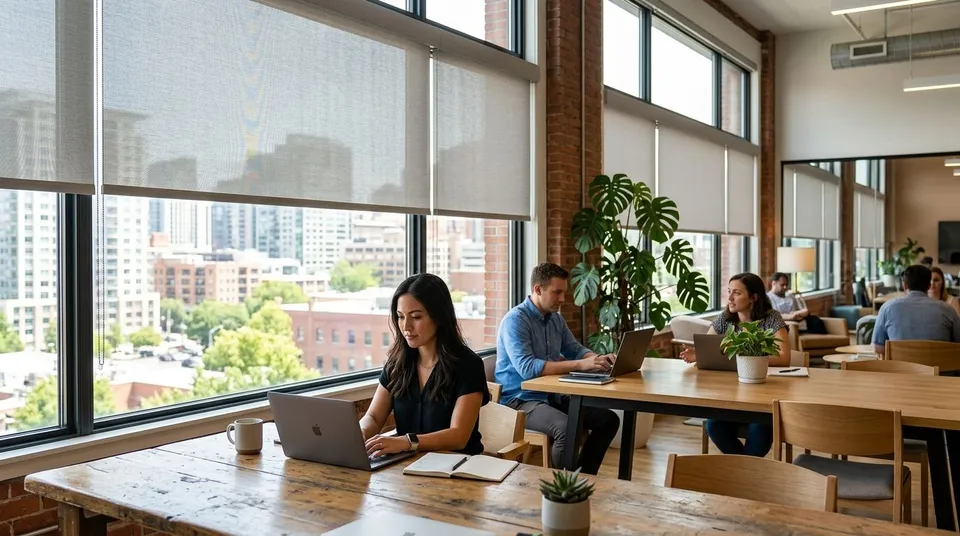
Window treatments for coworking spaces need to control glare, cut sound bleed between pods, and survive dozens of different hands touching the same shade every day, all without turning a shared floor into a maintenance ticket queue. A single-tenant office can get away with one fabric and one mount type. A coworking floor with phone booths, open desks, and a conference room usually needs three or four different shade specs working together.
- Motorized roller shades handle shared glass walls in coworking spaces better than manual chains do after year one of daily use.
- Cellular shades quiet down phone booths and single-occupant offices where hard glass otherwise bounces sound around the room.
- Zebra shades give private offices adjustable light for video calls without going full blackout.
- Rainier Blinds measures and installs shades across corporate and shared office floors in the Greater Seattle Area, not just houses.
- Skip vertical blinds and aluminum blinds for coworking floors; slats bend fast under shared-hands traffic.
Why window treatments matter for coworking spaces
A coworking floor gets touched by more people, more times a day, than almost any residential room. Chains, cords, and wands take a beating from dozens of different grips instead of one household's routine. That traffic pattern is why the motorized window shades for corporate office buildings conversation comes up so often for shared floors, motorized control removes the wear point entirely on the glass walls that see the most hands.
Glare is the other constant. Open floor plans put desks right up against south and west-facing glass, and a coworking operator can't ask forty different tenants to individually manage blinds all day. One consistent light-control system per zone solves that before it becomes a complaint.
Map your glare and heat zones first
Walk the floor at the times people actually work there, not just at midday. West glass bakes desks in late afternoon; east glass hits early arrivals. A conference room with morning sun needs a different opacity than an open desk bank facing north.
- Note which walls get direct sun for more than two hours a day
- Flag phone booths and single-occupant offices separately from open desking
- Mark any glass near a shared kitchen or lounge, humidity changes fabric choice
- Identify one or two "problem" windows that get the most complaints today
- Photograph each zone so the install crew can measure once and quote accurately
Choose manual or motorized shades based on hand traffic
Manual chain-operated roller shades are the cheapest starting point and work fine for low-traffic private offices where one or two people control the shade. Once a shade sits on a shared wall that dozens of people pass every day, motorized control stops being a convenience and starts being the lower-maintenance option.
- Spec manual roller shades for single-tenant offices and low-traffic hallways
- Move to motorized roller shades on any wall shared by more than one team
- Consider smart shades on a schedule for glass that bakes desks before staff arrives
- Group motorized shades on one control zone per floor instead of one remote per window
- Confirm power access at each window before committing to motorized over battery-run units
Verdict: motorized roller shades are the right call for any coworking wall with regular shared traffic in 2026, manual chains still make sense for single-occupant offices.
Control noise leakage between pods and phone booths
Phone booths and single-desk pods are usually built with hard glass and metal or drywall, which bounces sound instead of absorbing it. A plain roller shade does little for acoustics. Cellular shades cut noise because the honeycomb structure traps air and dampens some of that bounce, which matters more in a phone booth than in an open lounge.
- Spec cellular shades in every phone booth and single-occupant office, not just conference rooms
- Skip cellular shades on floor-to-ceiling glass walls where light volume matters more than acoustics
- Pair cellular shades with a soft-close cord or motorized lift so cords don't rattle against glass
- Keep the same cellular honeycomb depth across all booths so replacement parts stay interchangeable
Set opacity by zone, not by building
A single opacity for an entire floor almost always fails somewhere. Conference rooms need near-blackout for projector use. Open desking needs light-filtering that keeps daylight without glare. Reception needs enough privacy without going dark.
- Specify blackout or near-blackout in any room used for presentations or projector screens
- Use light-filtering shades in open-plan office windows where daylight matters more than total privacy
- Set zebra shades in private offices, they toggle between sheer and opaque stripes without swapping hardware
- Reserve full blackout for wellness rooms or nursing rooms if the floor has them
- Document the opacity choice per room so future tenants don't guess when they renovate
Standardize hardware so maintenance doesn't become a full-time job
Property managers running multi-tenant floors lose time fast when every window has a different bracket, chain length, or fabric roll. Standardizing across a floor, even across a whole building, cuts repair time and keeps replacement parts on hand.
- Pick one mount type (inside or outside mount) per window category and stick to it
- Standardize chain length and motor brand across all motorized shades on a floor
- Keep a spare fabric roll or two on hand for high-traffic windows that see the most wear
- Log which supplier measured and installed each shade so warranty claims don't stall
- Group re-orders by floor instead of by tenant to keep pricing and lead times consistent
Make video-call-ready light control non-negotiable in 2026
Most coworking desks and private offices double as video call backdrops now. Harsh backlight from an uncovered window ruins a call faster than almost anything else in the room. Reducing video call glare with motorized shades is a fast fix compared to repositioning desks or buying ring lights for every seat.
- Set a light-filtering shade behind any desk or booth used for regular video calls
- Schedule motorized shades to lower automatically during peak call hours if the floor supports it
- Avoid full blackout behind call-heavy desks, it kills the natural light that makes video look better
- Test the shade position at the actual camera height, not standing height
Get a shade plan for your floor
Rainier Blinds measures and installs shades for shared and corporate office spaces across the Greater Seattle Area.
Plan the maintenance and warranty conversation early
A coworking floor turns over shades faster than a house does simply from volume of use. Ask about warranty terms and repair turnaround before the first shade goes up, not after the first one breaks.
- Ask whether the crew measuring and installing is in-house or subcontracted, repairs go faster with a direct crew
- Get warranty terms in writing before signing off on a floor-wide order
- Set a yearly walk-through to catch worn chains or cords before they snap
- Budget for one or two spare units per floor for fast swaps during tenant turnover
Comparing shade options for coworking floors
| Option | Best for | Key limitation |
|---|---|---|
| Manual roller shades | Single-tenant offices, low-traffic hallways | Chains wear faster under shared, daily hand traffic |
| Motorized roller shades | Open floors and shared glass walls | Needs power access or battery swaps at each window |
| Cellular shades | Private offices needing light control | Confirm suitable controls and care for shared use |
| Zebra shades | Private offices and conference rooms needing adjustable light | Stripe fabric shows wear at grab points faster than solid roller fabric |
| Drapery (rod or track) | Lobby and reception areas wanting a softer look | Takes more wall space, not ideal for pinch-point traffic areas |
Verdict: motorized roller shades plus cellular shades in booths is the baseline spec that works for most coworking floors in 2026; zebra shades and drapery fill in the private-office and lobby gaps.
Common mistakes coworking operators make
- Specifying one product for the whole floor. Open desking, phone booths, and conference rooms all need different opacity and hardware, not a single fabric choice.
- Installing cord-operated shades on high-traffic shared walls. Cords fray fast when dozens of different people pull them every day; motorized or cordless is the safer call.
- Skipping acoustic shades in booths. A hard-glass phone booth with a plain roller shade still bounces sound; cellular shades actually dampen it.
- Mixing hardware brands and mount types across a floor. It multiplies repair time and makes replacement parts harder to source.
- Ignoring video-call glare until tenants complain. Backlit desks are one of the fastest fixable problems on a shared floor, and it's cheaper to fix before move-in than after.
FAQ
What's the best window treatment for a coworking space?
Motorized roller shades on shared glass walls, paired with cellular shades in phone booths, is the baseline spec that covers most coworking floors in 2026. Private offices and conference rooms usually add zebra shades for adjustable light.
Are motorized shades worth it for a coworking floor?
Yes, on any wall shared by more than one team or tenant. Manual chains wear out faster under shared daily hand traffic, so motorized control cuts repair calls over time.
Do cellular shades actually reduce noise in phone booths?
Window coverings can change reflections in a room, but ordinary shades should not be sold as soundproofing. Do not assume a specific reduction in traffic noise or echo without acoustic test data for the selected product and installation.
Should every floor in a shared office building match?
Standardizing mount type, chain length, and motor brand across a floor or building keeps repairs faster and replacement parts easier to source. It doesn't mean every room needs the same opacity.
What shade opacity works for a conference room with a projector?
Near-blackout or full blackout works best in any room used for presentations, since ambient light washes out projector screens. Open desking areas should stay on light-filtering instead.
Can shades help with video call glare?
Yes, light-filtering shades behind a desk or booth cut the harsh backlight that ruins video calls. Full blackout is the wrong call here since it removes the natural light that makes video look better.
Does Rainier Blinds install shades for coworking and shared office spaces?
Rainier Blinds measures and installs roller, cellular, zebra, and drapery window treatments for offices and shared spaces across the Greater Seattle Area, using its own measure and install crew rather than a subcontractor.
One last thing
The fastest way to blow a coworking shade budget in 2026 is buying room by room instead of zone by zone. Floors that spec by zone (glare exposure, booth type, traffic level) end up with fewer mismatched replacement orders eighteen months in than floors that let each tenant pick their own fabric.