
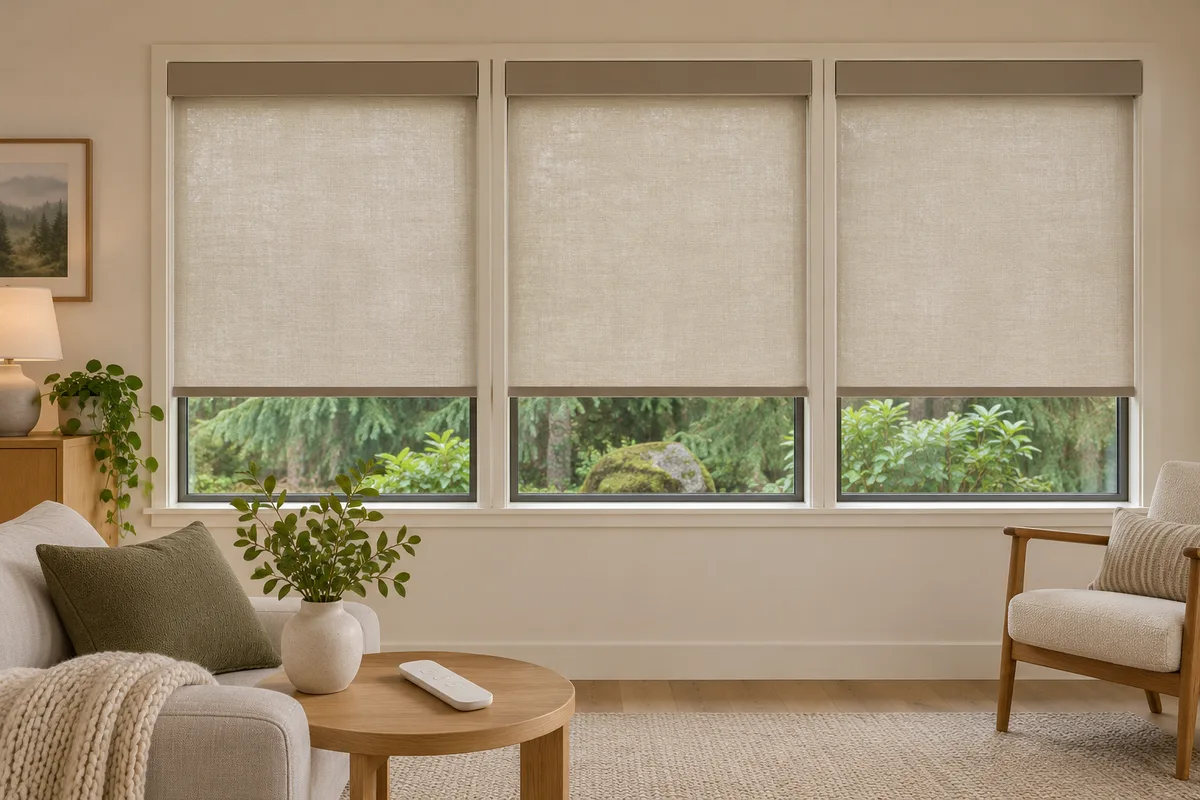
Three living-room shades may need to close together in the evening. During the afternoon, you might only want the one beside the television lowered. A useful control plan should make both tasks easy.
Before ordering motorized shades, think about which windows you want to operate together and which need their own control. The best starting point is your daily routine: where you sit, when you want privacy, and who else uses the room.
For a home in Auburn, Kent, or elsewhere around Greater Seattle, a short room-by-room list can make the consultation more useful and the finished setup easier to live with.
Quick takeaways
- Group shades that usually need the same action at the same time.
- Keep a way to adjust each shade individually.
- Check what an “all shades” control actually includes.
- Plan remote locations and clear labels along with the groups.
- Confirm app controls and schedules separately from handheld remote operation.
Understand individual and group control
A remote channel can address one compatible shade or a group of compatible shades. Selecting the group lets you send a command to those shades together. Selecting an individual channel lets you adjust one window without changing the others.
Rainier's remote owner's guide describes setting up individual channels first, then adding a group channel. That makes grouping an additional convenience rather than a reason to give up separate control.
The general distinction also appears in Somfy's remote-control guidance. Specific pairing methods and compatible products vary, so use the instructions for the equipment actually installed in your home.
1. Group by what you do, not only by room name
Start with an ordinary day. Which windows do you tend to cover together? Which one needs a different position while you work, cook, or watch television?
An open-plan living and dining area might benefit from one evening group, while the living-room windows retain their own group for daytime use. A home office might need separate control for the window beside the desk even if the other windows usually move together.
Keep the first plan simple. List the actions you repeat most often, such as “close the street-facing windows after dinner,” then identify the windows involved. Ask which combinations the proposed controls can support before deciding how many groups to create.
2. Preserve the exceptions
Two shades in the same room do not always have the same job. One window may face a neighbor while another looks onto a private garden. A bedroom used by someone working nights may need a different routine from the rest of the house.
For each proposed group, ask: “When would I want one of these shades to stay where it is?” If the answer comes easily, make sure individual operation is easy to find.
For example, three living-room windows could have individual controls plus a group for all three. You could lower the television-side shade during the day and close the full group later. This is a planning example; Rainier confirms the channel capacity and compatible configuration for the selected equipment.
3. Define what “all” should mean
An all-shades command deserves a clear explanation before anyone uses it. Does it cover this room, the downstairs windows, or every motor paired to that remote?
Rainier's current owner's guide says channel 0 on its described 15-channel handset operates all motors paired to that handset. That is different from assuming it controls every shade in the house. The same behavior should not be assumed for a different remote model.
Walk through the exceptions with everyone who will use the controls. If a bedroom needs to stay closed while someone rests, decide whether that shade belongs on the shared remote at all. Keep the agreed scope in a short control list rather than relying on memory.
4. Choose convenient remote locations and labels
Think about where you will be when you operate each group. The sofa, desk, and bedroom entrance may be more useful reference points than a central spot chosen just because it looks tidy.
Ask whether a second compatible handset would help, and include it in the quote if needed. Rainier's owner's guide covers adding and copying compatible remotes, but the equipment and setup should be confirmed for your order.
Use names that describe recognizable windows: “living room, television side” is easier to understand than “shade 3.” Keep a channel list beside the remote or with the household instructions. If several handsets are needed, label their purpose so a guest can tell them apart.
During installation, test the controls from the places where you expect to use them. A convenient storage location is only useful if the selected equipment works reliably from there.
5. Treat schedules as a separate choice
A handheld group command and an automatic routine are different requests. Being able to move several shades with a remote does not, by itself, establish phone control or scheduling.
Rainier's indoor shade packages distinguish Motorized operation with an RF motor and handheld remote from the Smart package with a Matter-compatible motor. Smart-home compatibility and any additional equipment are confirmed before ordering.
If you want an automatic evening routine, describe the result you want and the home system you already use. Ask how the routine will work alongside individual controls and what happens when someone changes a shade manually. Confirm the behavior for that setup rather than assuming every platform handles it the same way.
Check the plan before installation is finished
Run through a few ordinary tasks with the installer:
- Operate each shade individually and confirm the label matches the window.
- Try each group and check that only the intended shades respond.
- Test any all-shades command and confirm its scope.
- If matching movement or stopping positions matters to you, review the result together.
- Try any agreed app controls or routines separately.
- Save the channel list and instructions with your order details.
If an unexpected shade moves, stop and identify the selected channel before changing settings. Avoid trying a factory reset as a shortcut. Our programming overview explains why model identification matters before making adjustments.
Plan controls around your home
Rainier Blinds brings samples, measures your windows, and helps you compare the available control options for your selected shades. Bring your short list of individual windows, useful groups, and preferred remote locations to an in-home consultation.
Consultations are free within 60 driving miles of Auburn, WA, with no obligation to order. Farther-away projects are considered individually, with any consultation fee quoted before booking and credited toward your order if you proceed.