
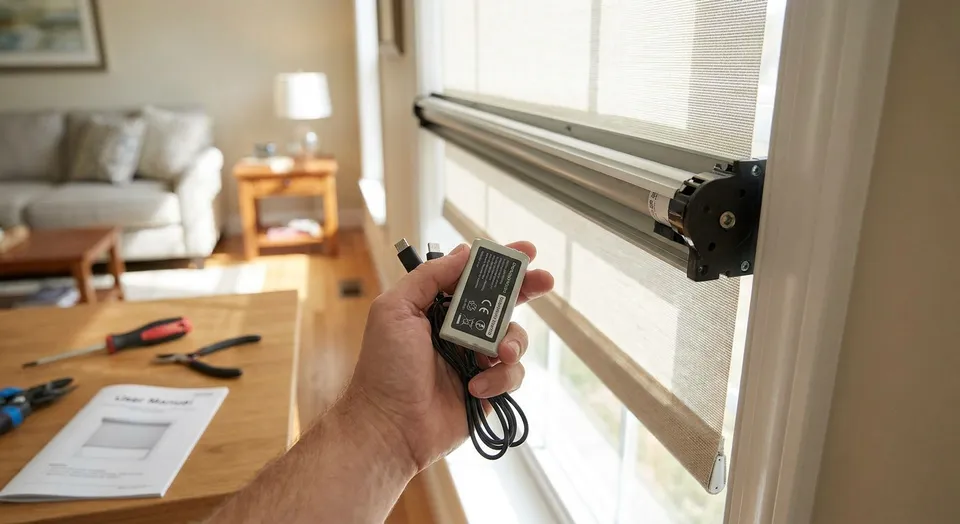
Battery care starts with identifying the motor and power system in your shade. Some systems use rechargeable packs, others use replaceable batteries, and some shades use a wired supply. Their charging, replacement, and storage instructions are not interchangeable. Keep the guide for your exact model with your installation paperwork.
Confirm the power system
Check the order details or accessible label for the motor and battery model. Find out whether the battery is removable, rechargeable, or intended to be replaced as a complete assembly. Do not open a sealed pack or motor housing to look for individual cells.
A charger that fits the socket is not enough evidence of compatibility. Use the charger and connection method specified for the exact system. Keep the instructions available so that someone else in the household does not substitute an unverified adapter.
Use the charging guidance for that model
Follow the manufacturer's instructions for when to charge, how to connect the charger, and how to recognize a completed charge. Indicator lights and app readings vary by product; a color or flashing pattern from another shade brand is not a reliable guide.
There is no charging interval that fits every motorized shade. Window size, fabric weight, use, settings, and the power system can affect the interval. Record a charging date and any unusual behavior so a later change can be explained to the supplier.
Make access part of the routine
Plan how you will reach the charging connection before the battery needs attention. Do not pull on the shade or its cable to bring a socket closer. For a high or awkward window, ask the installer about an approved access or power option.
Follow the product instructions for cable routing and keep loose charging leads away from children and moving parts. A permanently connected charger or solar accessory should be used only when the particular system is designed for it.
Check a change in performance before resetting
If a shade becomes slow, stops unexpectedly, or fails to respond, note what happens with its normal control. Check the indicated battery status and the basic user checks in the manual. Power, controls, an obstruction, or a mechanical issue may need attention; the symptom alone does not identify the cause.
Do not assume that every battery charge requires travel-limit recalibration or a factory reset. A reset can change saved settings. Stop operating a shade that is binding or visibly damaged and contact the supplier instead of repeatedly forcing it through a movement.
Confirm replacement and solar options
Battery lifespan and replacement cost depend on the specified pack and use. If the interval between charges changes noticeably, share your charging record and model information with the supplier before buying a replacement. Do not substitute a different battery type just because it is available.
Solar charging is also product-specific. Compatibility, panel placement, glazing, shade, and changing daylight conditions all matter. Ask whether an approved accessory is available and whether occasional charging may still be needed. Avoid treating a sunny window as a guarantee of year-round operation without charging.
When to get help
Do not keep charging or using a pack that appears damaged, swollen, leaking, or unusually hot. Follow the manufacturer's safety guidance and seek appropriate assistance. Do not open or repair the pack yourself.
For Rainier-supplied shades, send the order details, room, model if available, and a short description of the problem. Photos of accessible labels and the charger can help identify the correct next step.
Contact Rainier Blinds for help identifying your setup. If you are preparing for storm season, the power outage guide also covers local controls and what to test before power is lost.
Common questions
How often should I charge my motorized shades?
Use the instructions for the exact motor and battery. Charging intervals vary with the product and its use; there is no universal schedule.
Will a solar panel eliminate charging?
That depends on an approved panel, the shade system, placement, and available light. Confirm the setup and any backup charging needs before ordering.
Should I reset the motor after charging?
Only if the model's instructions or supplier direct you to do so. Charging alone is not a reason to apply a generic reset sequence.